List and creation
Summary figures show headcount, verification, rating, pending earnings, and payable earnings. The create form opens inline. Filters include search, verification status, active status, and an earnings date range; Verified only applies the verification filter. Exports follow active filters.
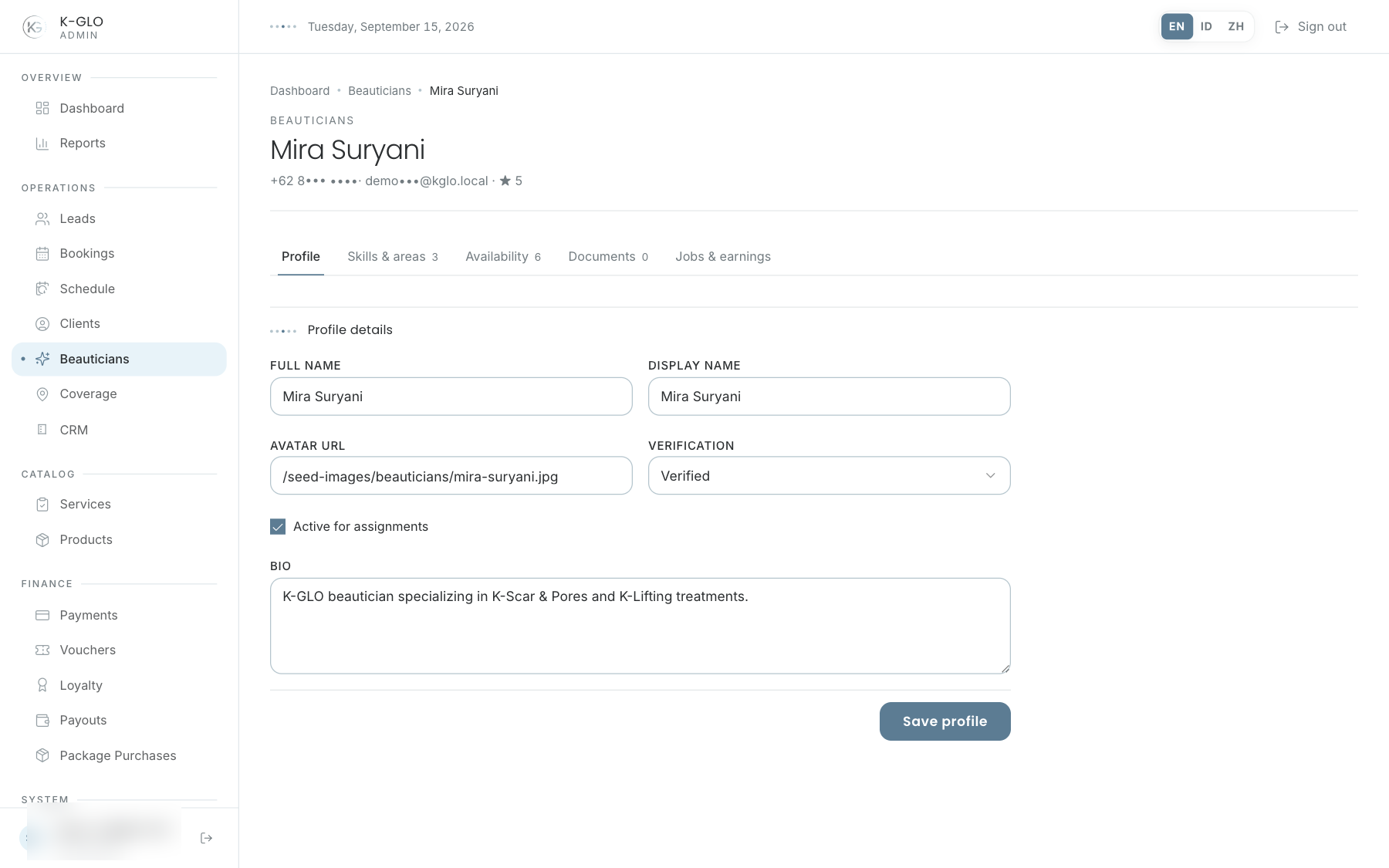
Five profile tabs
- Profile: identity and primary information.
- Skills & areas: services, skills, and coverage areas.
- Availability: work availability.
- Documents: view, add, and review documents.
- Jobs & earnings: job summary and earnings ledger.
Work availability
Select the day, start time, and end time. The end must follow the start on the same day; reversed or zero-duration ranges are rejected without changing data. Use Edit and Save to change a slot, Cancel to discard an edit, and Remove to delete a slot after confirmation.
Review documents
- Open the Documents tab.
- View opens the document through the protected download endpoint.
- Compare it with the profile identity.
- For a pending document, select Approve or Reject; the status is saved immediately without another confirmation.
Admins can add a document with its document type and file public ID. Viewing and downloading rely on the configured file-storage provider, so successful file access depends on that provider.
When document storage is unconfigured, View returns to the profile with a configuration error instead of opening an invalid provider URL. Contact a platform administrator; the stored document reference does not change.
Identity documents are sensitive. Avoid unnecessary local storage and use dummy documents for documentation.
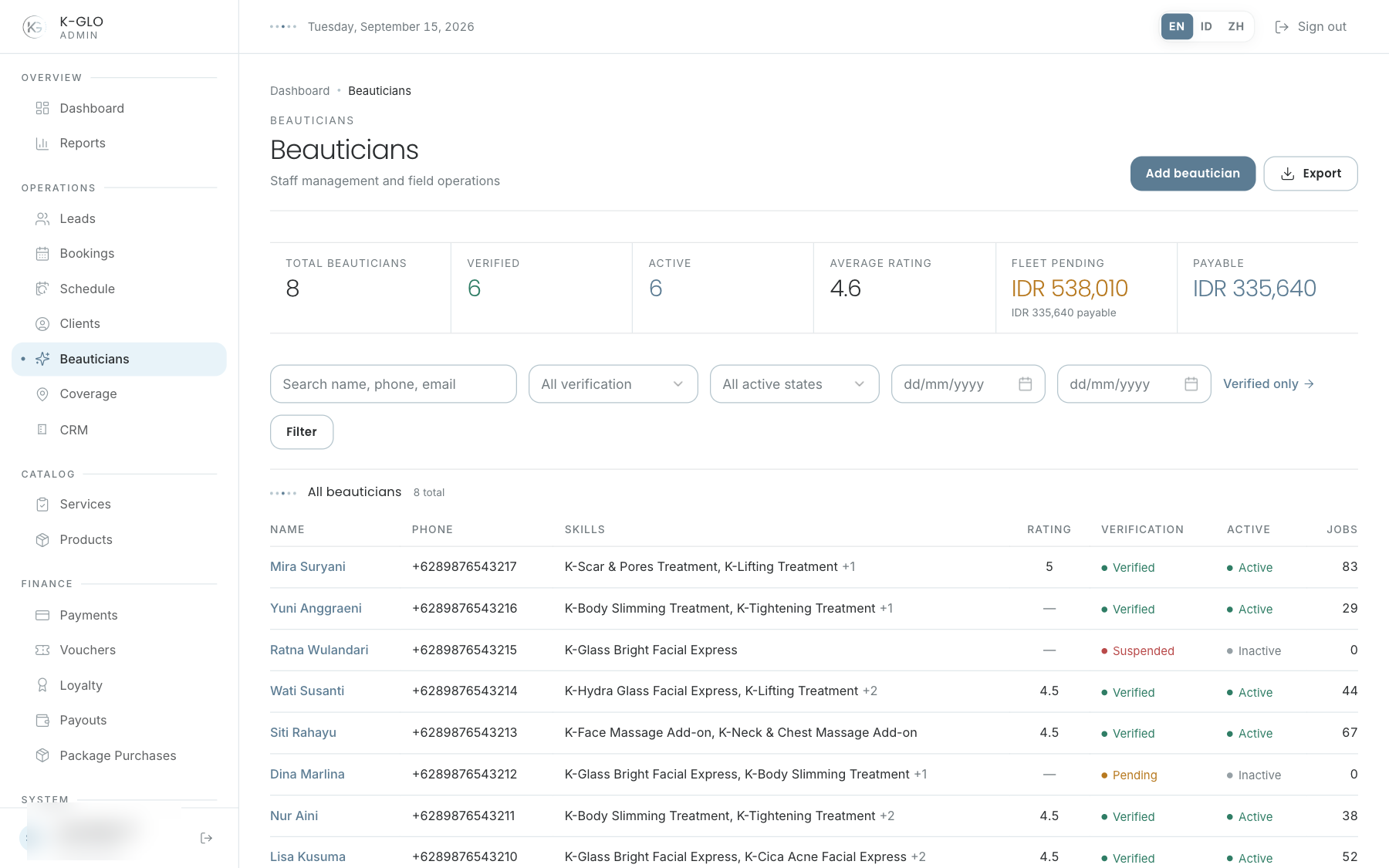
Video walkthroughs
English Admin Web recordings from isolated demo data, slowed down so the steps are easier to follow. Secret values are masked. No external payment or provider delivery is performed.
Recorded:
admin onboards a beautician and configures treatment skills, service area, and availability 0:14
Covered steps
- Create a beautician inline, update profile bio, add a treatment skill and service area, and add an availability slot.
- Submit an invalid availability time range and acknowledge the validation alert; save and edit a valid slot, cancel editing, and confirm removal.
- Confirm removal of the skill and service area, open Jobs & Earnings, and verify its job and earnings sections.
- Search for the new beautician and export the filtered CSV.
admin reviews a pending beautician KYC document 0:08
Covered steps
- Open Documents and approve a pending KYC document; verify its reviewed status and reviewer.
admin filters beauticians by verification, active state, and earnings period 0:07
Covered steps
- Filter by verified status, active state, and earnings date range; apply the verified-only shortcut.
admin rejects a pending beautician KYC document 0:07
Covered steps
- Add a document using a dummy file public ID, verify its protected-download link is listed without opening the external file provider, reject a pending KYC document, and verify its reviewer and rejected status.
admin document viewing stays local with a storage configuration error 0:04
Covered steps
- Select a protected document View link with storage unconfigured, read the local configuration error instead of an invalid provider redirect, and verify the stored document reference is unchanged.
Testing boundaries
- Successful delivery of authenticated Cloudinary documents requires configured credentials and a real provider asset; the local missing-configuration View action is covered.