Lead and booking summary
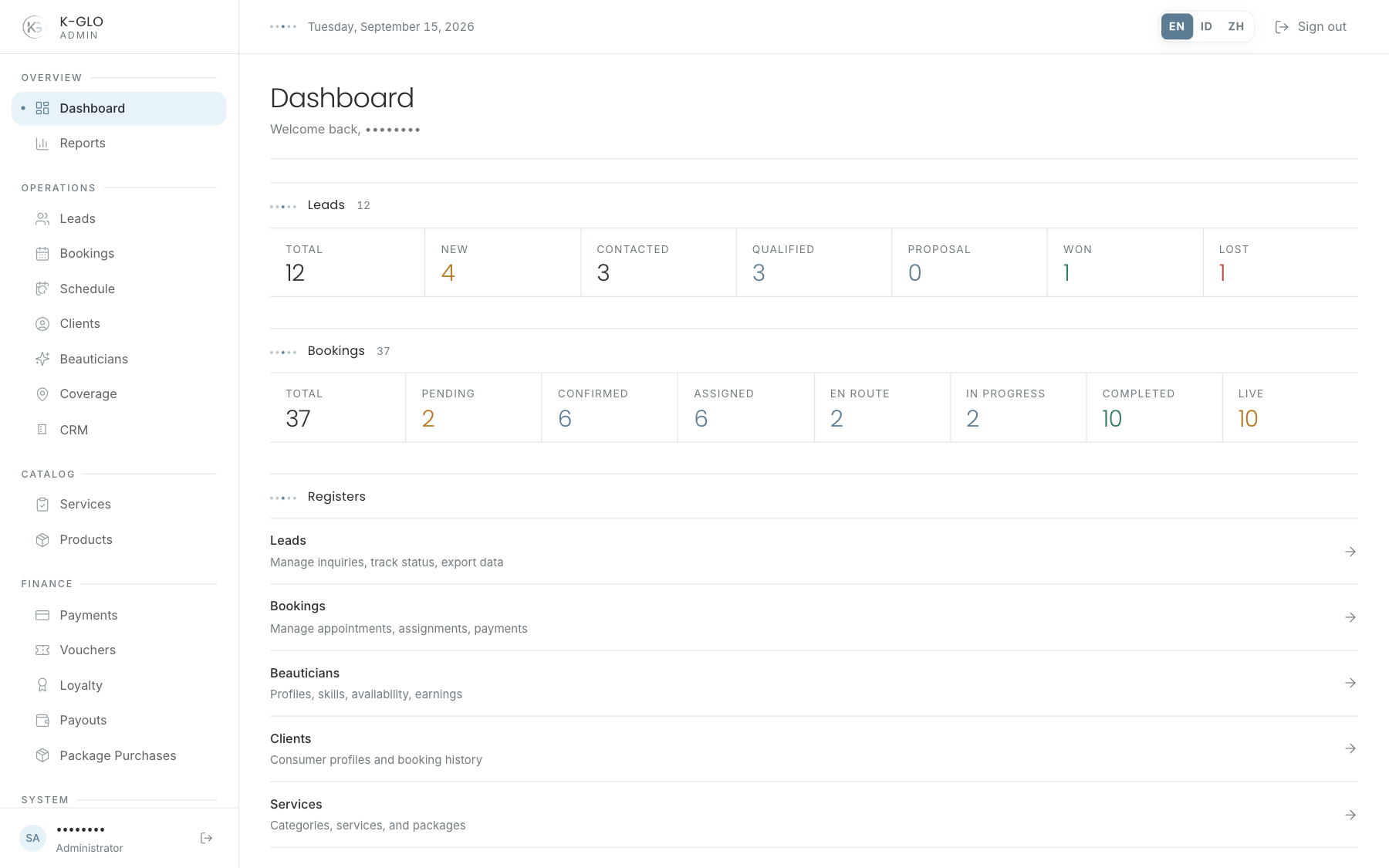
Lead and booking figures are selectable. Selecting a status number opens the corresponding ledger with that filter active. Live opens bookings in assigned, beautician en route, or in-progress statuses.
Now in the field
When a booking in assigned, beautician en route, or in-progress status is scheduled today, this section lists the active work. Select a row to open its booking inspector and review the customer, beautician, location, services, payment, and status.
Registers
Registers are shortcuts to the main work areas. Use them when the task does not start from a specific status figure.
Daily review order
- Check today’s bookings and live jobs.
- Open bookings that need assignment or a status change.
- Review new leads that need follow-up.
- Use Registers for catalog, financial, or system work.
Video walkthroughs
English Admin Web recordings from isolated demo data, slowed down so the steps are easier to follow. Secret values are masked. No external payment or provider delivery is performed.
Recorded:
admin dashboard filters status figures, opens today's live booking, and follows a register 0:11
Covered steps
- See the synthetic current-day booking in Now in the field, select its row, and inspect its booking detail.
- Select the In Progress figure and verify its booking filter, then select the Live figure and verify its live filter.
- Follow the Clients entry in Registers.