清单与创建
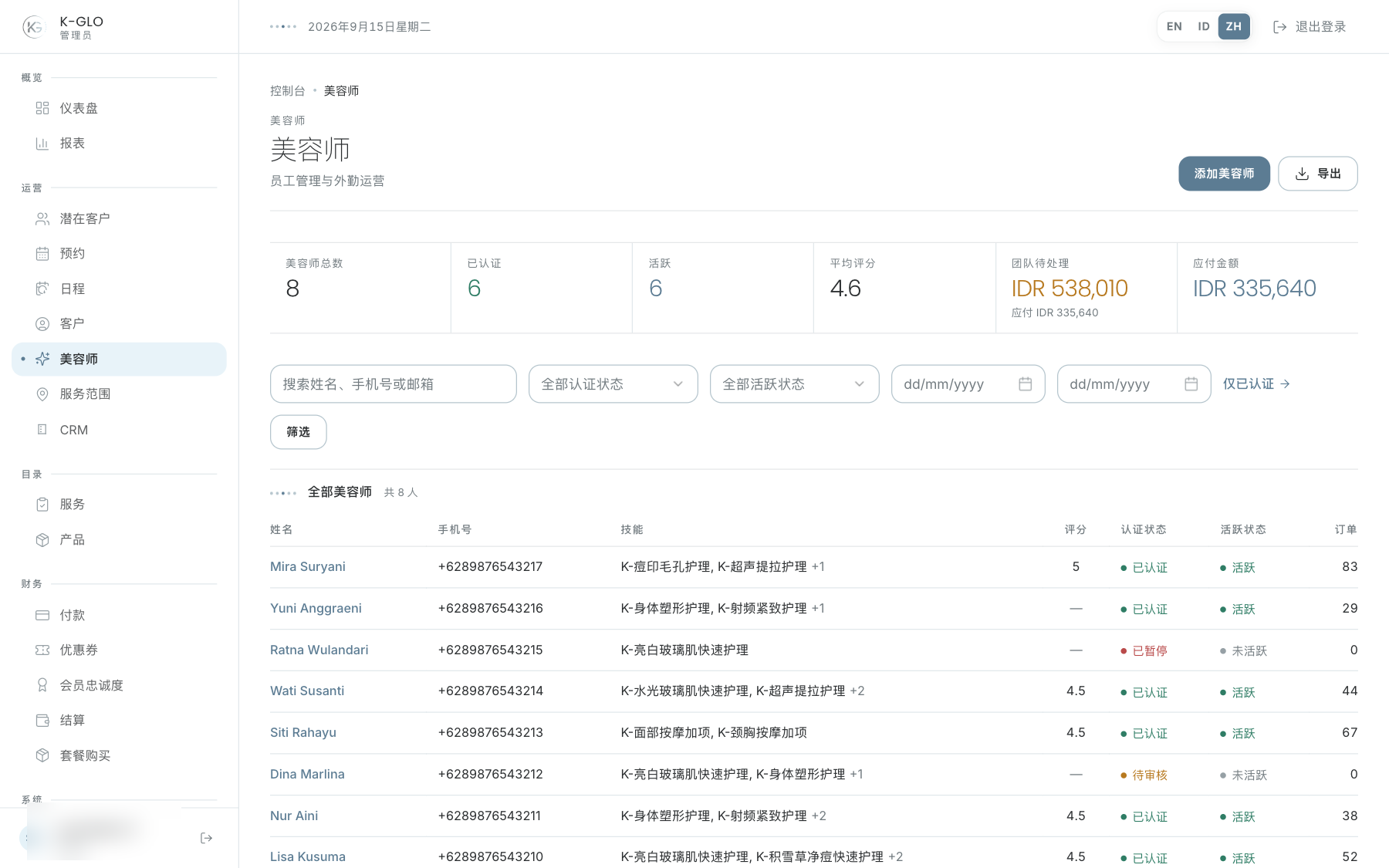
汇总数据显示人数、验证情况、评分、待结收入和可结收入。创建表单在页面内展开。筛选包括搜索、验证状态、启用状态和收入日期范围;Verified only 链接会应用验证筛选。导出会保留当前筛选条件。
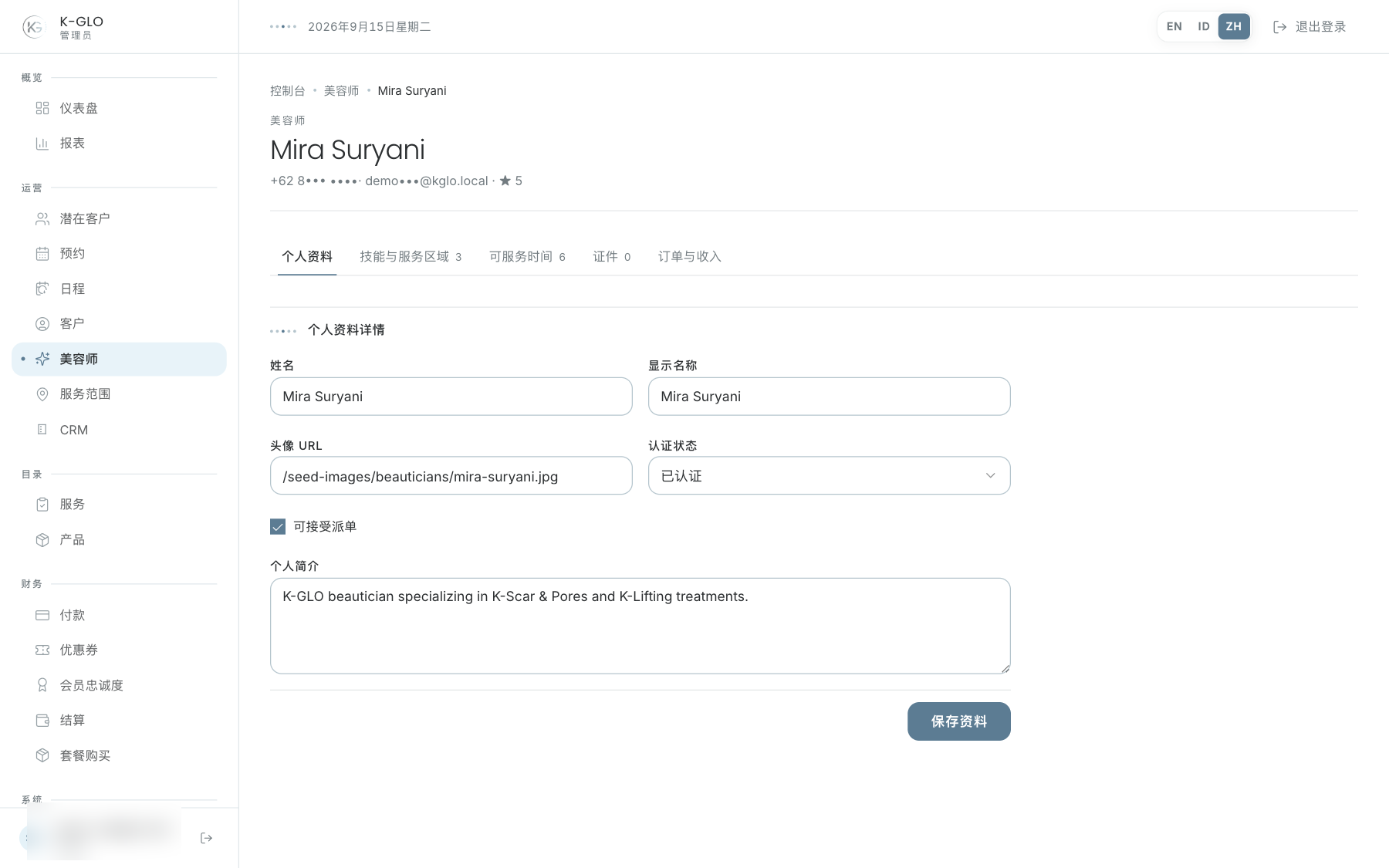
五个档案标签页
- **Profile:**身份和主要信息。
- **Skills & areas:**服务、技能与覆盖区域。
- **Availability:**工作可用时间。
- **Documents:**查看、添加和审核文件。
- **Jobs & earnings:**工作汇总与收入台账。
工作可用时间
选择日期、开始时间和结束时间。结束时间必须晚于同一天的开始时间;倒置或零时长区间会被拒绝,且不会改变数据。使用 Edit 和 Save 修改时间段,使用 Cancel 放弃编辑,使用 Remove 在确认后删除时间段。
审核文件
- 打开 Documents 标签页。
- 点击 View,通过受保护的下载端点查看文件。
- 与档案身份信息进行核对。
- 对 pending 文件选择 Approve 或 Reject;状态会立即保存,不再要求额外确认。
管理员可通过文件类型和 file public ID 添加文件。查看与下载依赖配置的文件存储 provider,文件能否成功打开取决于该 provider。
如果文档存储尚未配置,View 会返回档案页并显示配置错误,而不是打开无效的服务商 URL。请联系平台管理员;已保存的文件引用不会改变。
身份证明文件属于敏感数据。避免不必要的本地存储,制作文档时使用虚构文件。
操作演示视频
视频使用隔离演示数据录制英文管理后台,并放慢播放以便跟随操作。敏感值已遮蔽。未执行外部付款或服务商发送。
录制日期:
admin onboards a beautician and configures treatment skills, service area, and availability 0:14
已覆盖步骤(英文)
- Create a beautician inline, update profile bio, add a treatment skill and service area, and add an availability slot.
- Submit an invalid availability time range and acknowledge the validation alert; save and edit a valid slot, cancel editing, and confirm removal.
- Confirm removal of the skill and service area, open Jobs & Earnings, and verify its job and earnings sections.
- Search for the new beautician and export the filtered CSV.
admin reviews a pending beautician KYC document 0:08
已覆盖步骤(英文)
- Open Documents and approve a pending KYC document; verify its reviewed status and reviewer.
admin filters beauticians by verification, active state, and earnings period 0:07
已覆盖步骤(英文)
- Filter by verified status, active state, and earnings date range; apply the verified-only shortcut.
admin rejects a pending beautician KYC document 0:07
已覆盖步骤(英文)
- Add a document using a dummy file public ID, verify its protected-download link is listed without opening the external file provider, reject a pending KYC document, and verify its reviewer and rejected status.
admin document viewing stays local with a storage configuration error 0:04
已覆盖步骤(英文)
- Select a protected document View link with storage unconfigured, read the local configuration error instead of an invalid provider redirect, and verify the stored document reference is unchanged.
测试边界(英文)
- Successful delivery of authenticated Cloudinary documents requires configured credentials and a real provider asset; the local missing-configuration View action is covered.