概览
通知页面展示营销活动统计和近期活动台账。通过台账状态了解每个活动的当前情况。
营销活动编辑器
编辑器接受活动名称、通知标题和正文。编辑器不能选择受众;服务器会应用默认受众。保存后创建草稿。
发送活动
在 /admin/notifications/campaigns 活动清单中,草稿行提供 Send 操作。管理员必须确认发送;确认后活动状态会更新为 sent,并为接收者创建数据库通知。禁用推送或没有启用设备时可能跳过推送投递;状态为 sent 不代表外部推送 provider 已成功送达。
- 创建草稿并在台账中确认。
- 点击草稿行的 Send 并确认。
- 确认活动状态为 sent,且已记录接收者数量。
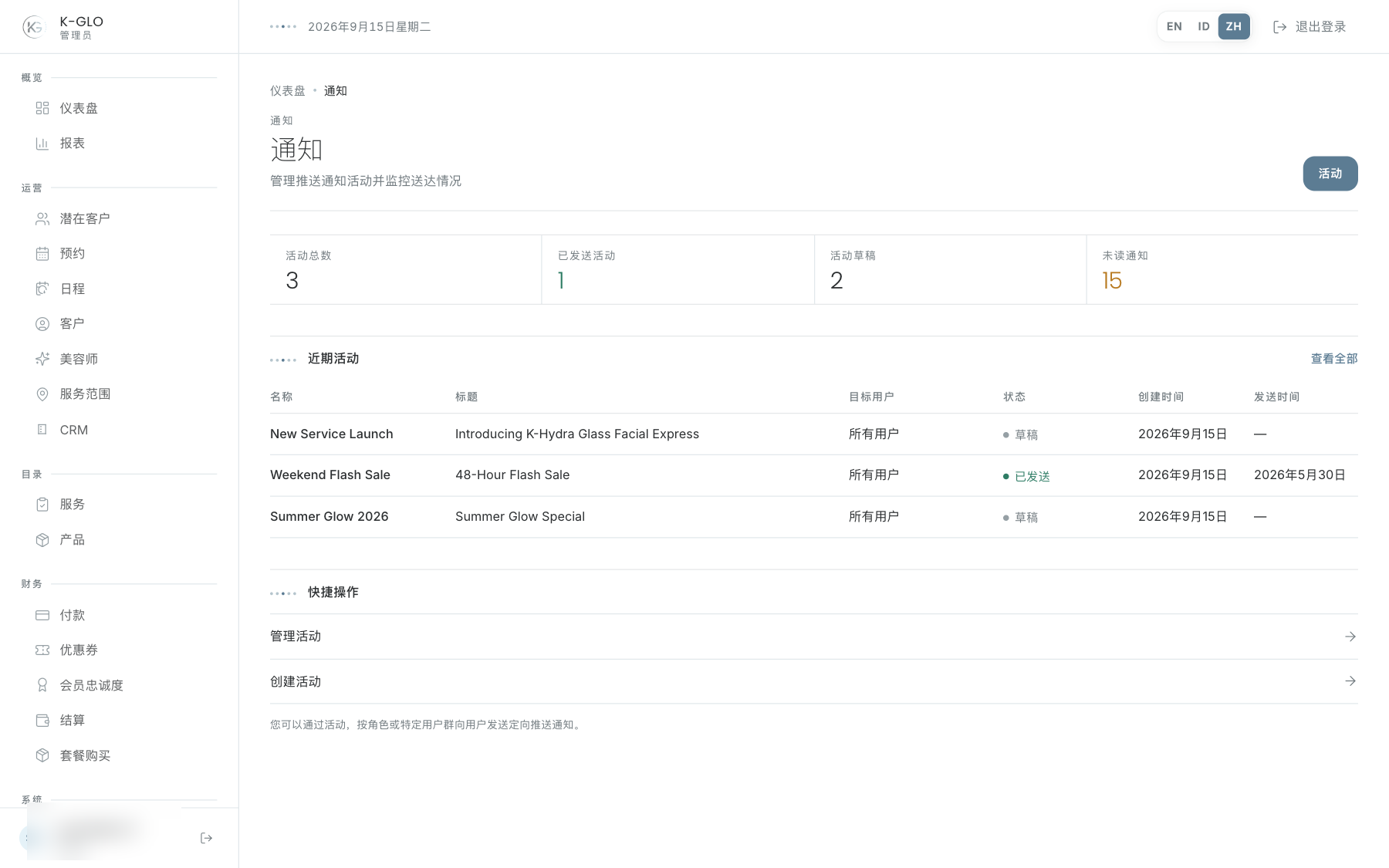
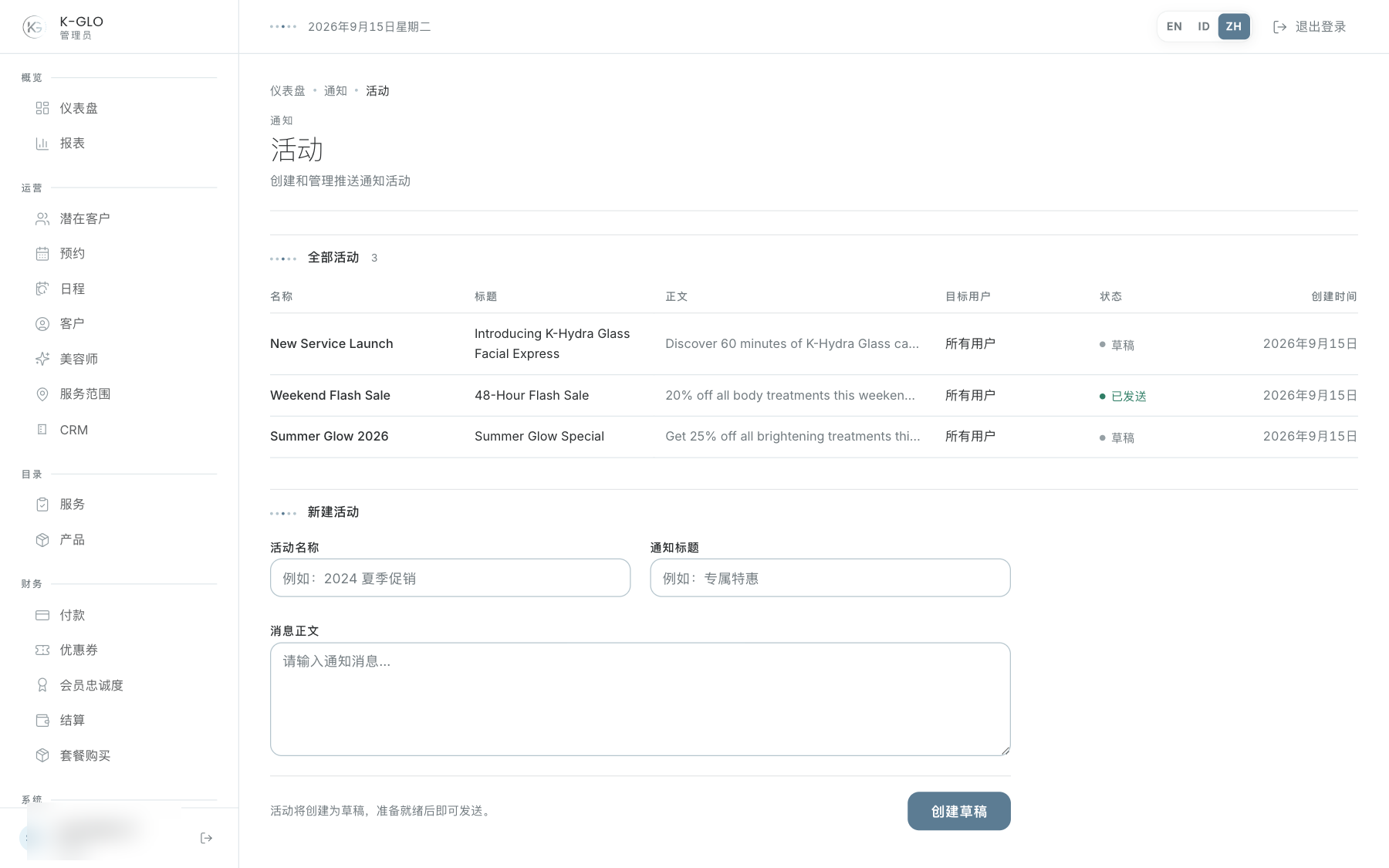
操作演示视频
视频使用隔离演示数据录制英文管理后台,并放慢播放以便跟随操作。敏感值已遮蔽。未执行外部付款或服务商发送。
录制日期:
admin creates a notification campaign draft 0:06
已覆盖步骤(英文)
- Create a campaign draft with name, notification title, and body; verify draft status.
- Dismiss the Send confirmation and verify the campaign remains draft; confirm Send, verify sent status and recipient count, verify database notification creation, then find the campaign on Notifications overview.
测试边界(英文)
- The isolated runtime disables Expo push delivery; successful delivery by the external push provider is not exercised. The campaign composer does not expose audience selection, so its server-default audience is used.